Timesheet approvals, not a spreadsheet with a status column
Most project tools stop at time tracking: hours go in, and somebody exports them.
Taskiim carries the week through submission, approval or rejection with a reason,
and a lock — which is the part that makes the number trustworthy afterwards.
Live product
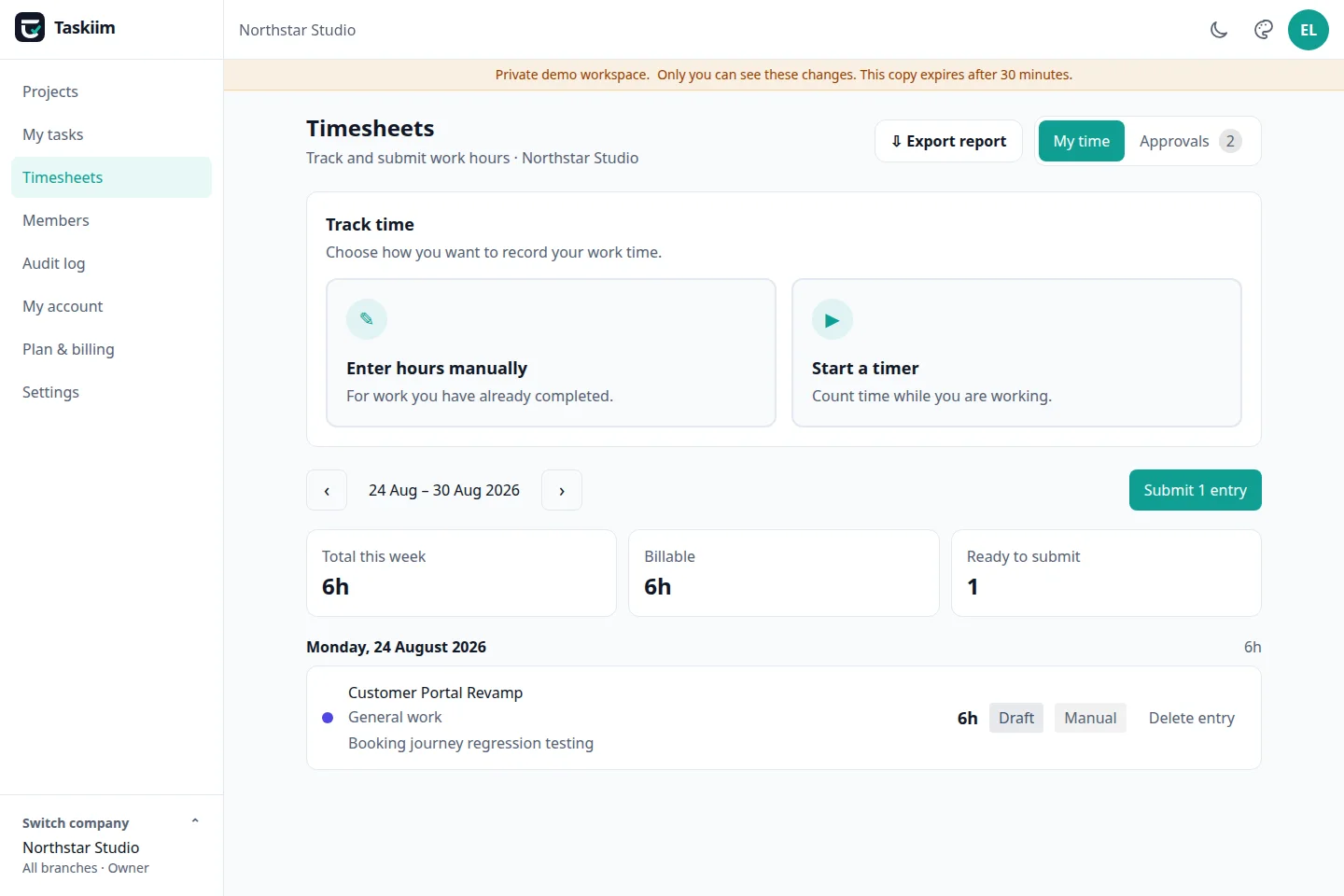
A real Business Owner view from the public demo. The screen separates personal time entry from manager review according to the signed-in person’s permission.
Use case diagram
Two roles, one controlled handoff
The team member owns the draft. Submission hands a stable record to the manager, while the audit log preserves the decision for the business owner.
●Team memberowns the draft
Record timeManual or timer
→
Submit periodEntries lock
→
Manager reviewApproveReject with reason
→
Audit trailActor, action, time
●Managerowns the decision
Rejection returns the entry with an actionable reason; approval keeps the submitted record stable and attributable.
How to use it
From starting work to a final decision
For a team member
Open Timesheets.Select the project and, when relevant, the task you are working on.
Choose how to record.Type a duration such as 7h 30m, or start and stop the timer.
Add useful context.Set the date, note and billable status while the work is still fresh.
Review and submit.Submit the period. Those entries can no longer be quietly edited.
Act on a rejection.Read the manager’s reason, correct the returned entry and submit again.
For a manager
Switch to Team review.The queue shows submitted entries inside the branch you manage.
Check the context.Review person, project, task, date, duration, source and billable status.
Select valid entries.Approve several entries together when their context is complete.
Explain every rejection.State what must change; Taskiim refuses an empty reason.
Use the record later.Open the audit log or export a PDF/Excel report when evidence is needed.
Try this exact path in the demo:
Choose Project manager, open Timesheets, switch between My timesheet and Team review, then approve or reject a submitted entry. No signup is required.
1
Hours are logged against a task
Either typed into the week view or captured by a timer. Each entry belongs to a project, so the hours are already attributed when the week ends.
2
The person submits the week
Submitting locks the week against further edits. That lock is the point: an approved week that can still be edited afterwards is not an approval.
3
A manager approves or rejects
Rejection requires a written reason, and the reason reaches the person who submitted. "Rejected" with no explanation just produces the same timesheet again.
4
The decision is recorded
Who approved it, when, and what changed goes to the append-only audit log — readable later without asking anyone to remember.
Why the lock matters
An approval is a statement about a specific set of hours. If those hours can change
afterwards, the approval refers to something that no longer exists — and the person
who signed it off has no way to know. Submitting a week in Taskiim closes it to
edits, so what a manager approved is what stays on the record, and reopening it is a
deliberate act that the audit log shows.
Separate offices, separate approvals
Teams that outgrow one office usually outgrow one approval queue at the same moment.
A membership in Taskiim is scoped to a company and optionally a branch, so an
Amsterdam manager approves Amsterdam’s hours and sees nothing from Berlin. One
account can own several companies and switch between them without them ever mixing.
Questions people actually ask
Can a manager approve their own timesheet?
No. Approval is a separate permission from submission, and a manager sees their team’s hours but never approves their own week.
What happens to an approved week if someone edits a task?
Nothing. A submitted week is locked, so the hours that were approved stay exactly as they were approved.
Do managers in different offices see each other’s hours?
No. A membership is scoped to a company and optionally a branch, so a manager in one office approves only that office’s timesheets.
Which plans include timesheet approvals?
Timesheets and approvals are on the Team plan at $19 a month and the Company plan at $49 a month, priced for the whole workspace rather than per person.
Approve a timesheet in the demo
Sign in as a manager persona and approve or reject a submitted week. It is a real workspace — the approval lands in the audit log like any other.